The AI that's in the room with you

BrainCue hears the conversation you're actually in — a standup, a client call, an interview — contributes through a floating, screen-share-invisible Cue Card, and files what mattered back into the Space it happened in, so the next one starts where the last ended.

Local-first Screen-share-invisible Your own AI key MIT · open source
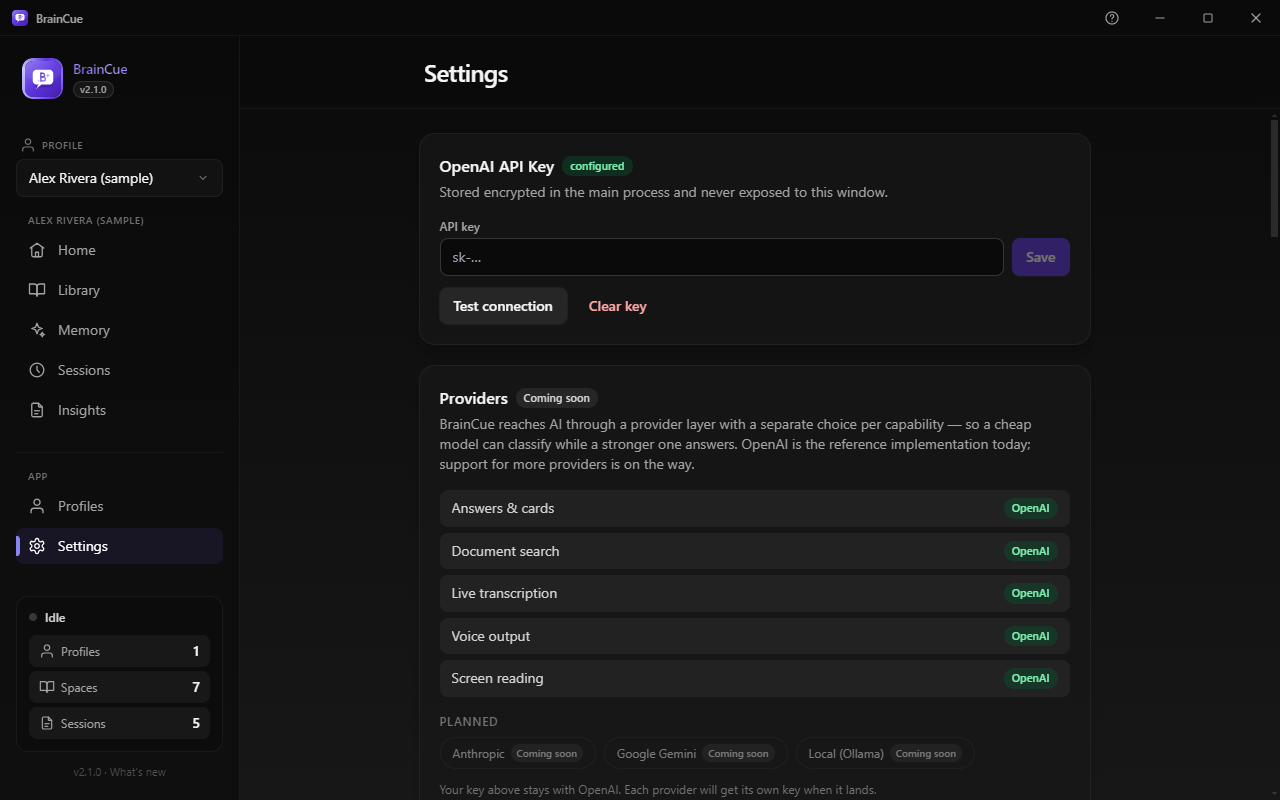
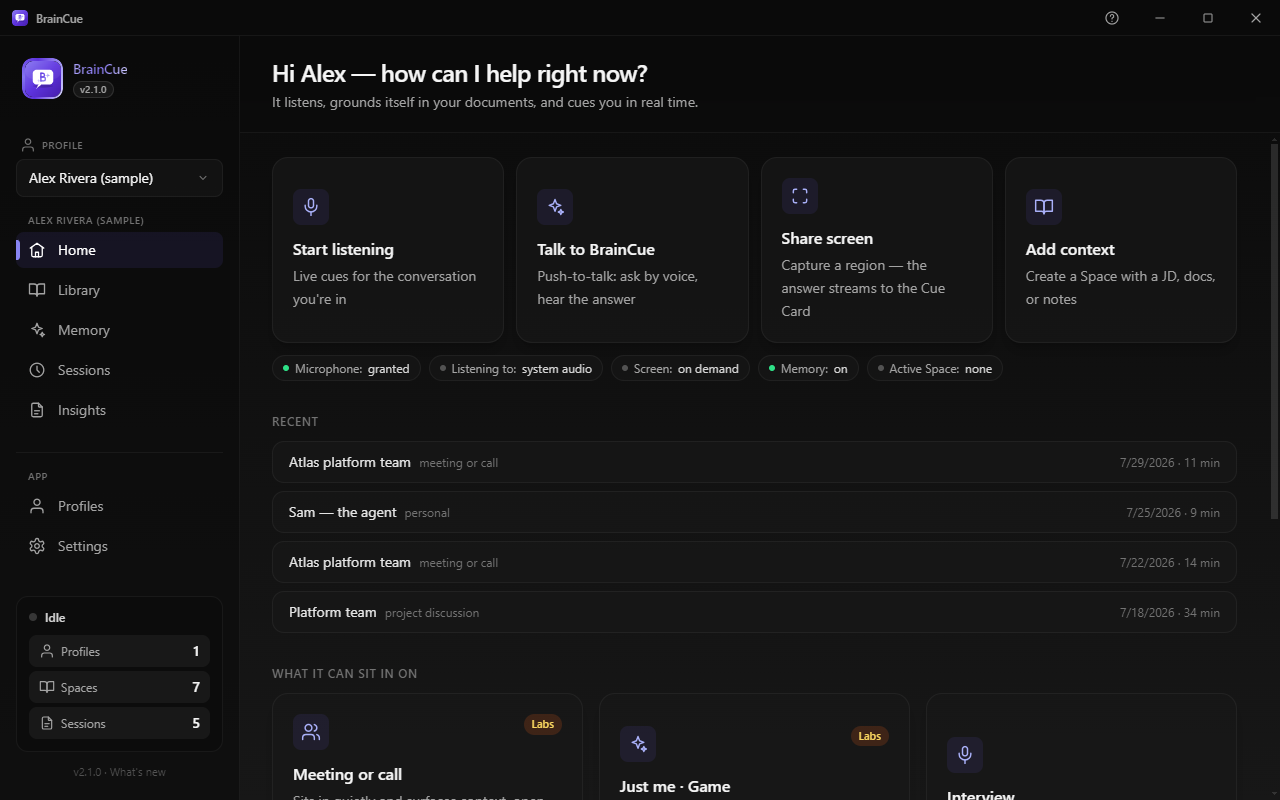
The BrainCue dashboard: primary actions, a capture-status row, and cards for what it can sit in on. The floating Cue Card with a completed, cited answer.

01 See it in action

Watch a question become a cited answer

Every feature, end to end, captured from the running app by the repo's own e2e pipeline — what it knows before a call, what it does during one, what survives afterwards, and why none of it leaves your machine.

The demo — every scene comes from the real app, against the sample data you can load with one click.
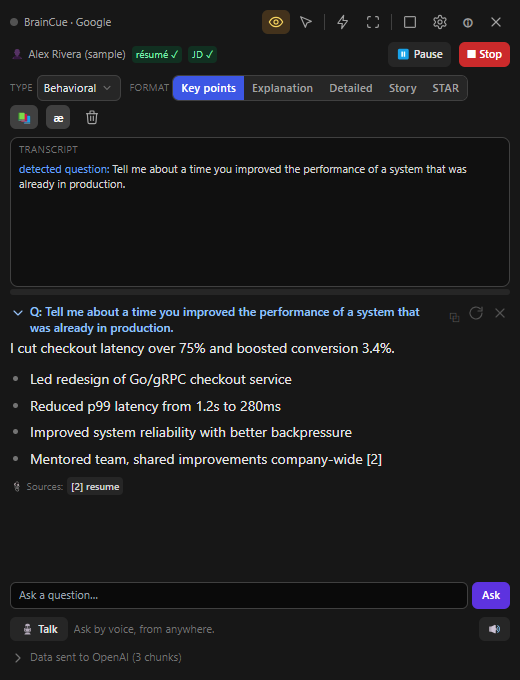
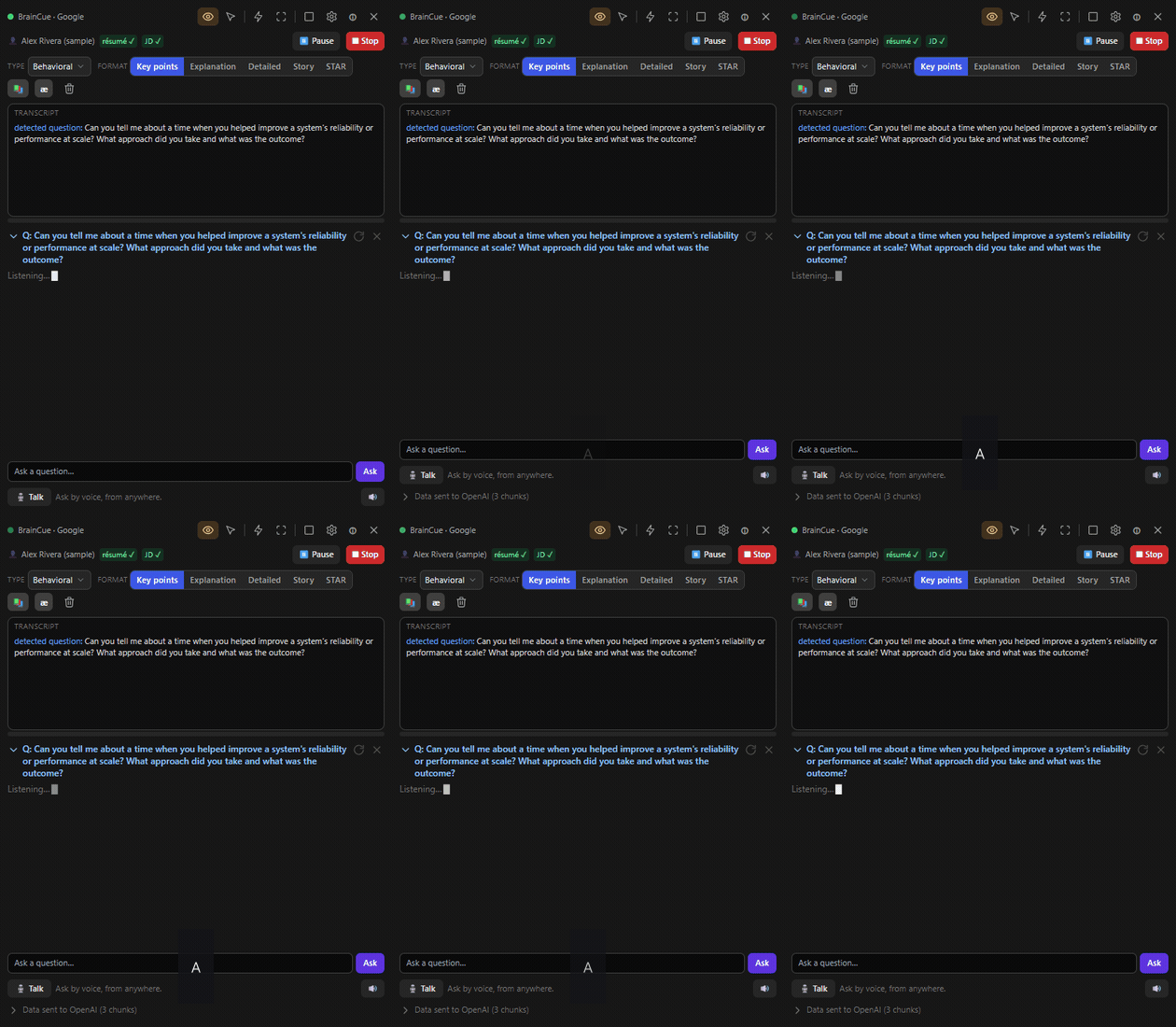
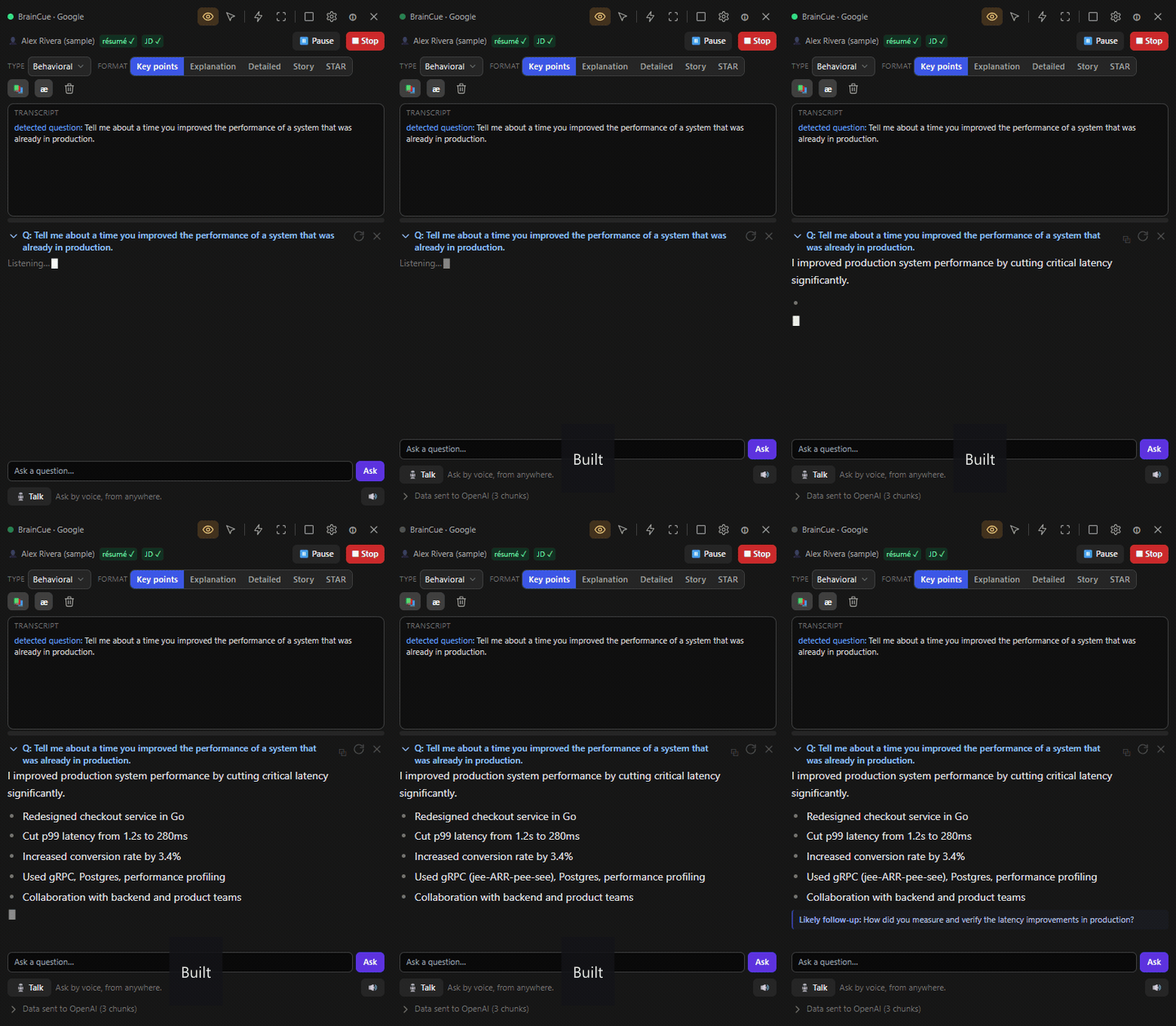
The floating Cue Card: the interviewer's question is transcribed live, then a grounded, cited answer streams in.
The moment that matters — a question is heard, and a grounded, cited answer streams in.
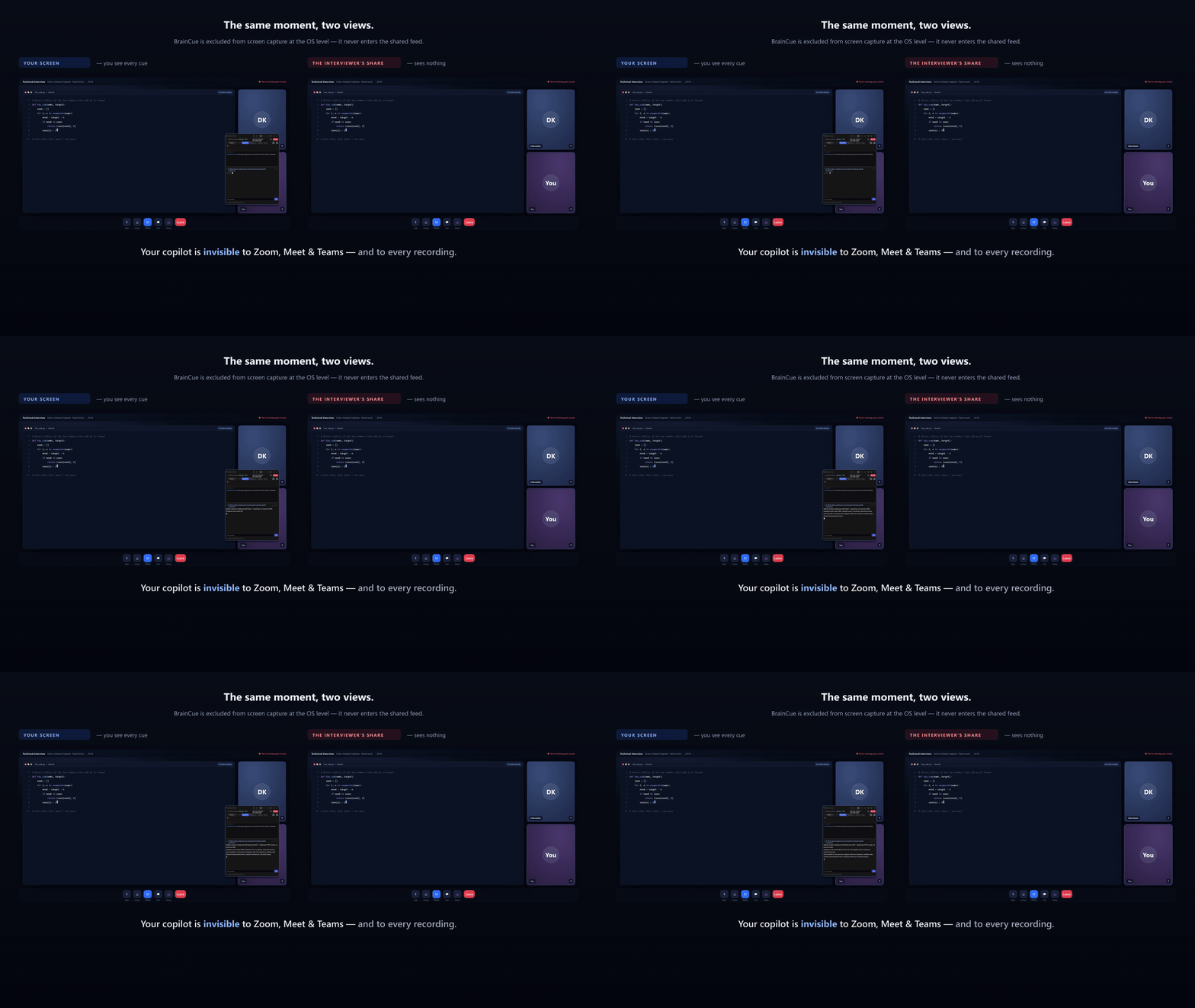
The same moment in two views: your screen shows the Cue Card over a video call; the other side's screen share shows the call with the app absent.
The same moment, two views — your screen has BrainCue; the shared screen (and any recording) has nothing.
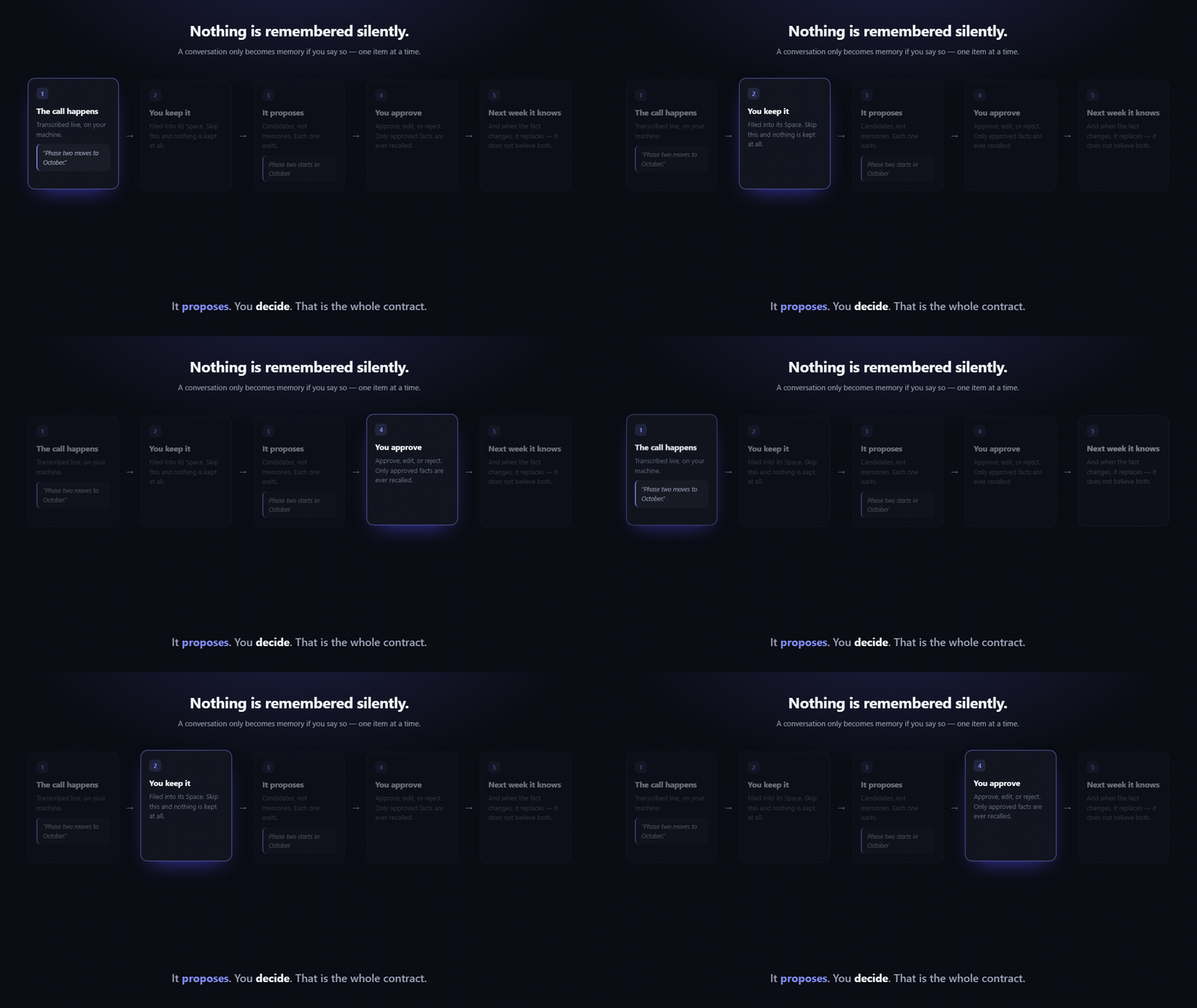
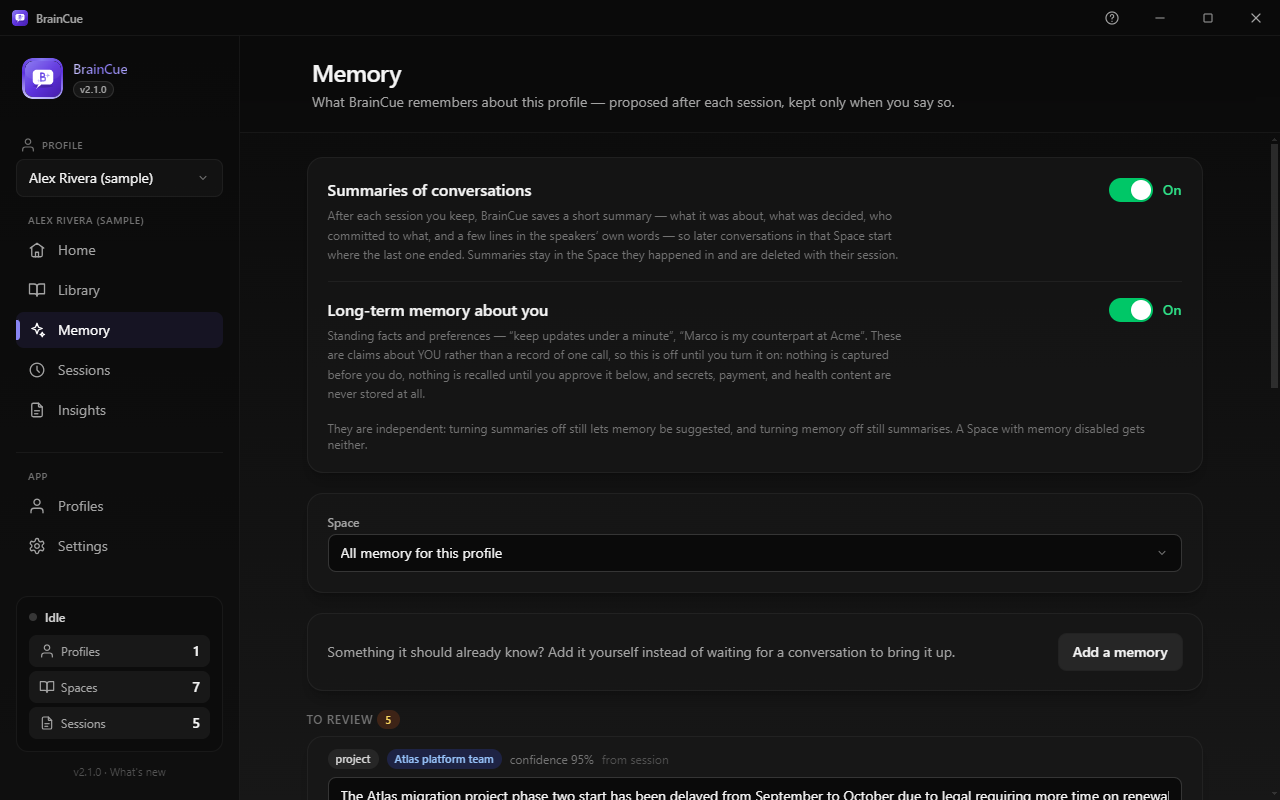
The memory loop: the call happens, you keep it, it proposes candidates, you approve them, and the next conversation knows — replacing a fact when it changes rather than believing both.
It proposes. You decide. — a conversation only becomes memory if you say so, one item at a time.
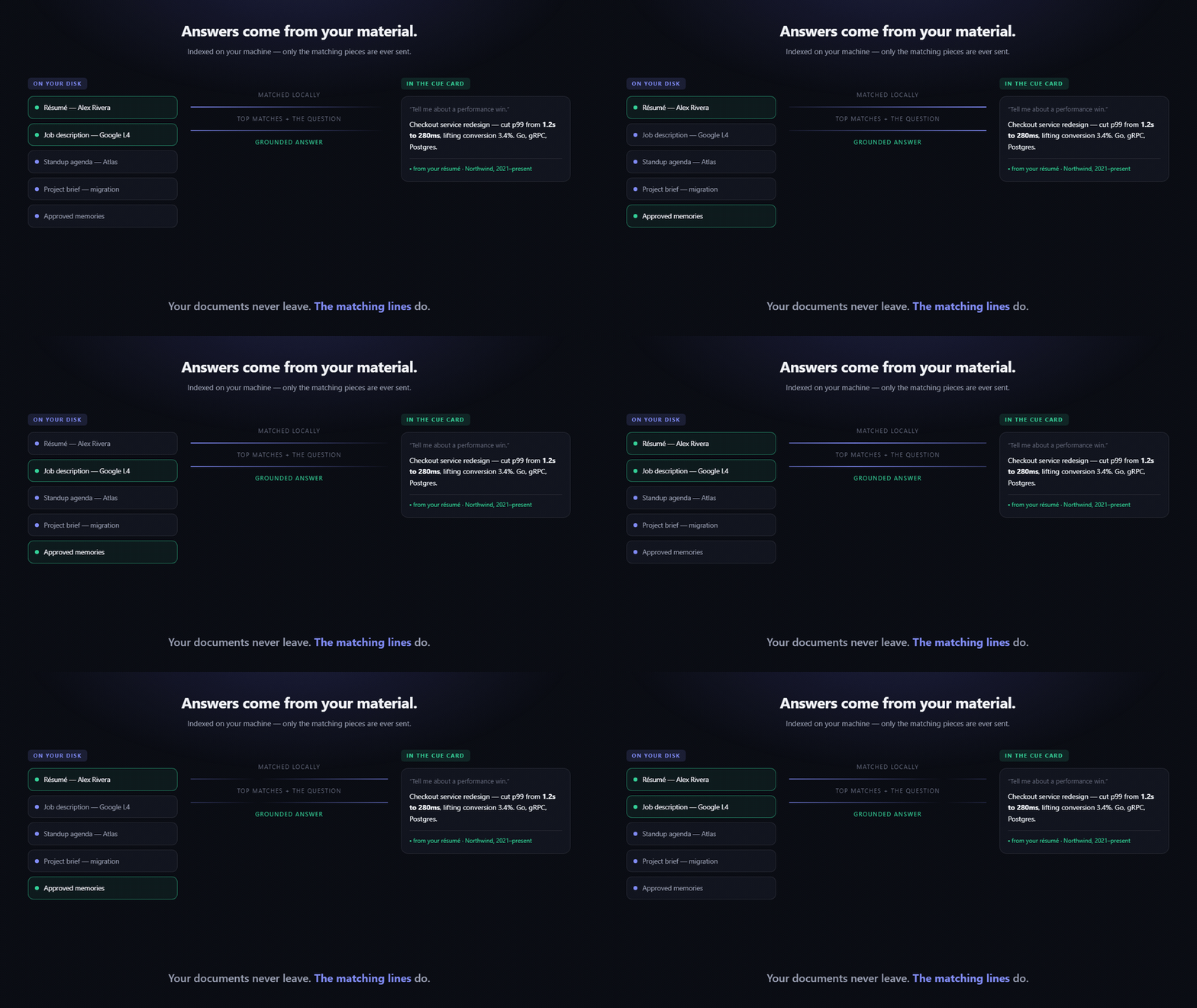
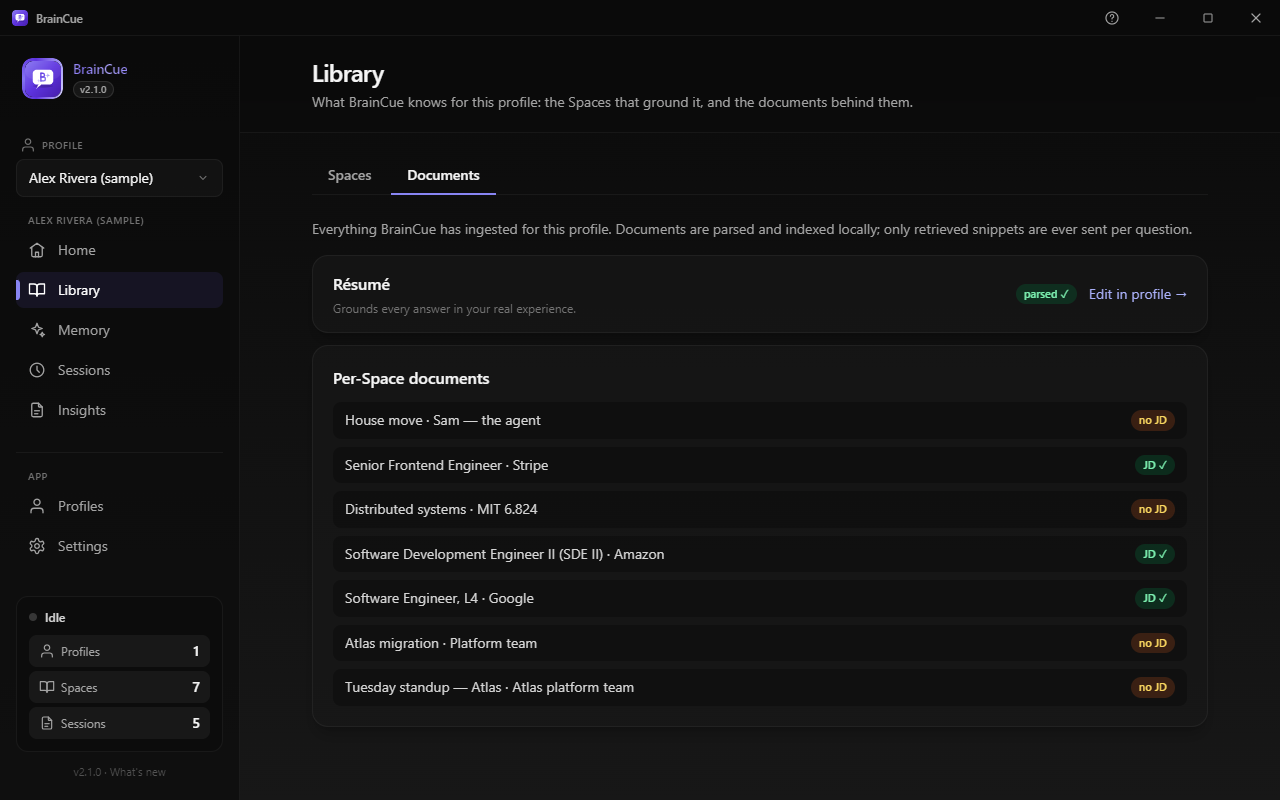
Documents indexed on your machine; only the matching pieces plus the question are sent, and the answer in the Cue Card names its source.
Your documents never leave — only the matching lines do, and every answer says where it came from.
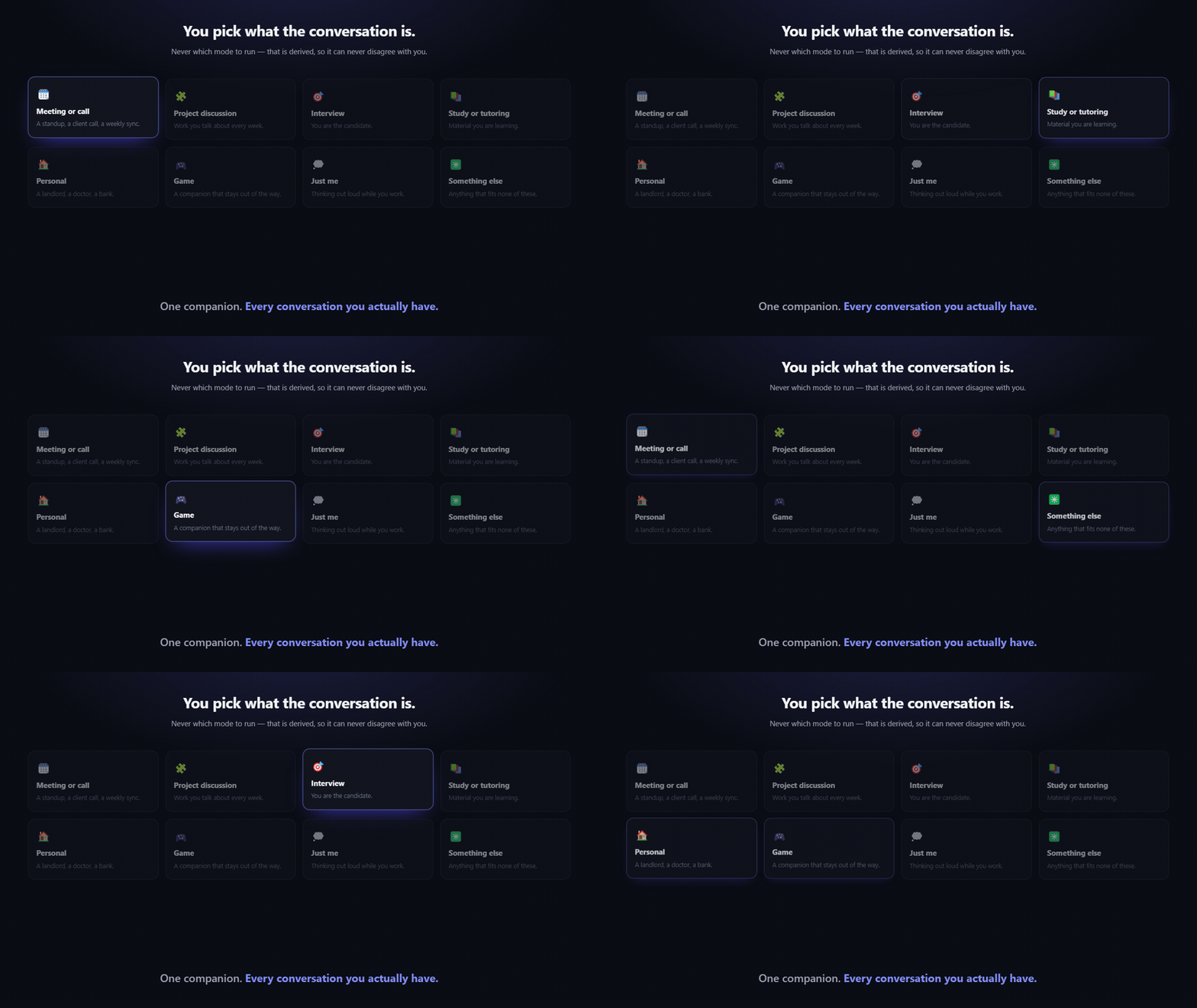
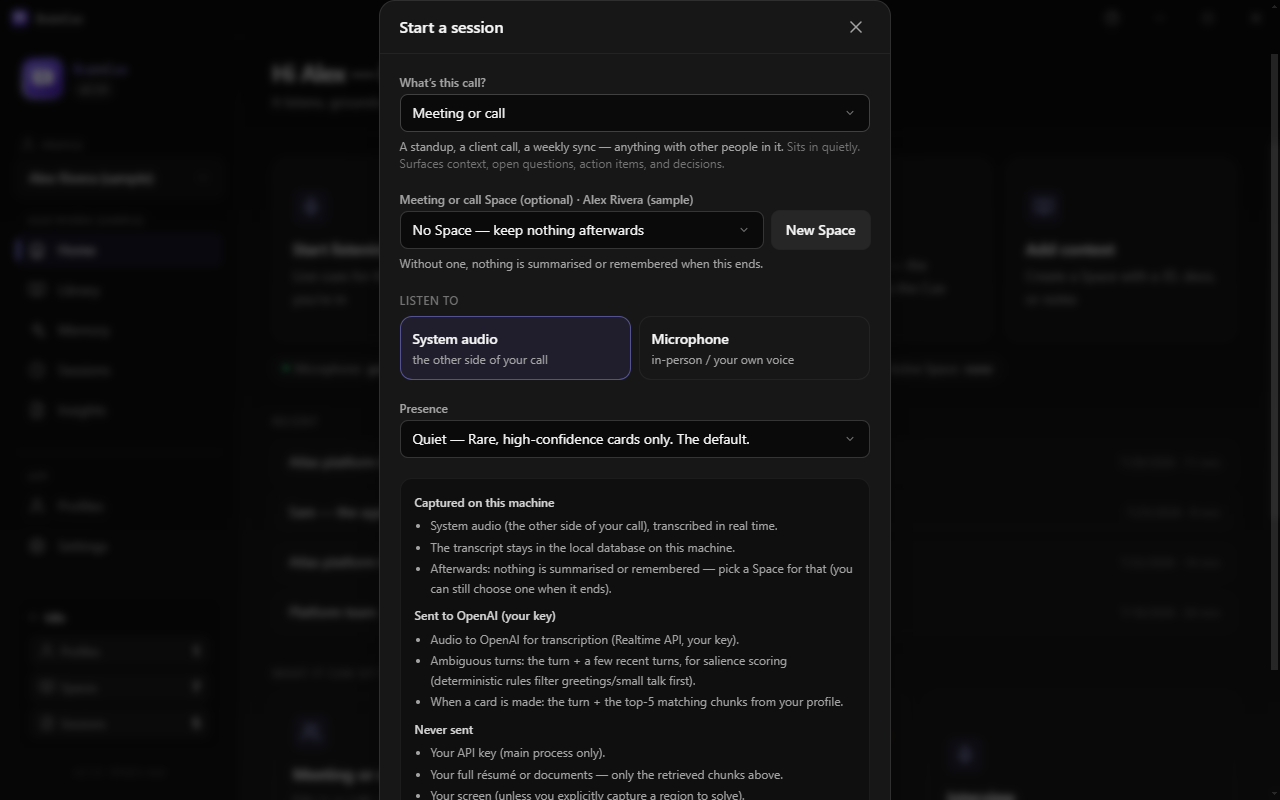
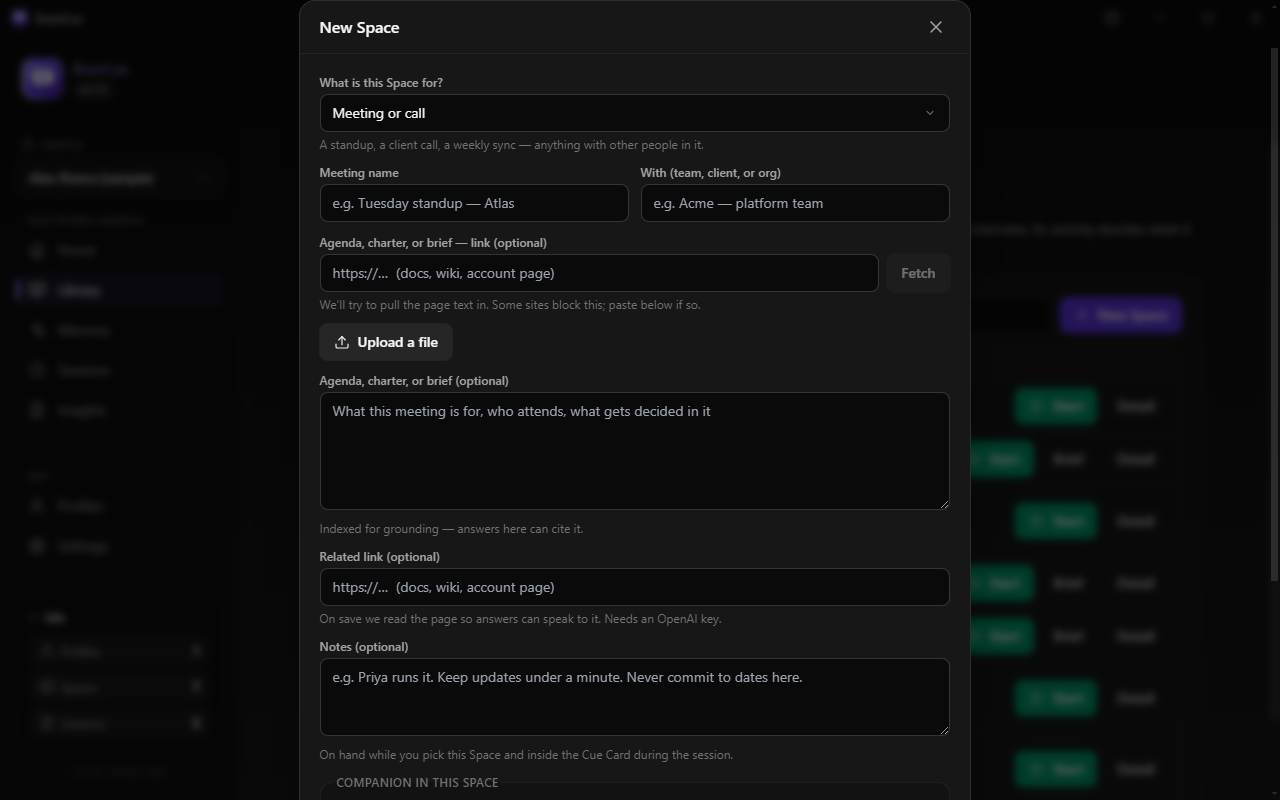
The eight activities: meeting or call, project discussion, interview, study or tutoring, personal, game, just me, something else.
You pick what the conversation is — never which mode to run.
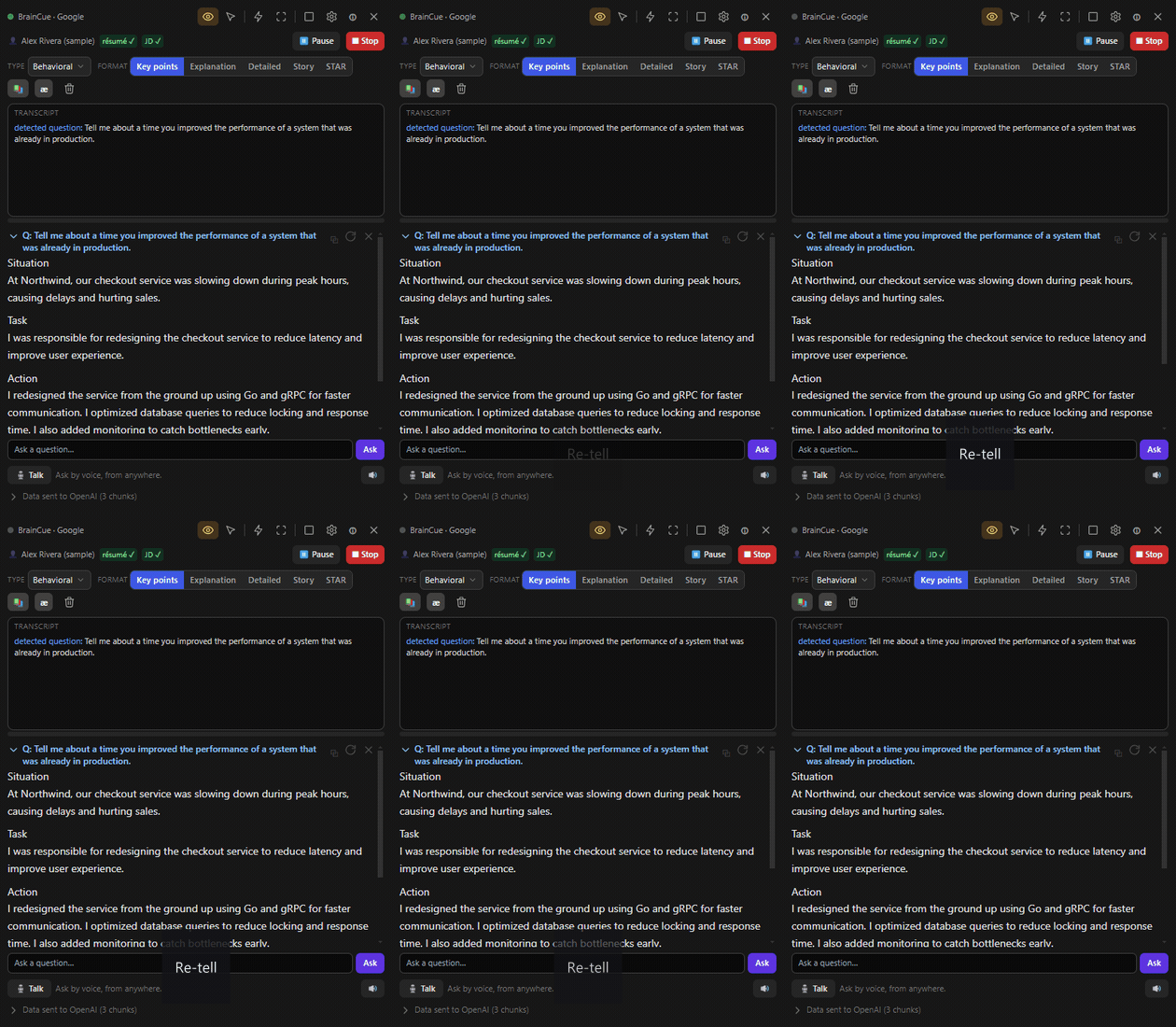
Re-tell any answer as key points, an explanation, or a STAR story — switched live.
Re-tell it your way
key points · explanation · STAR story
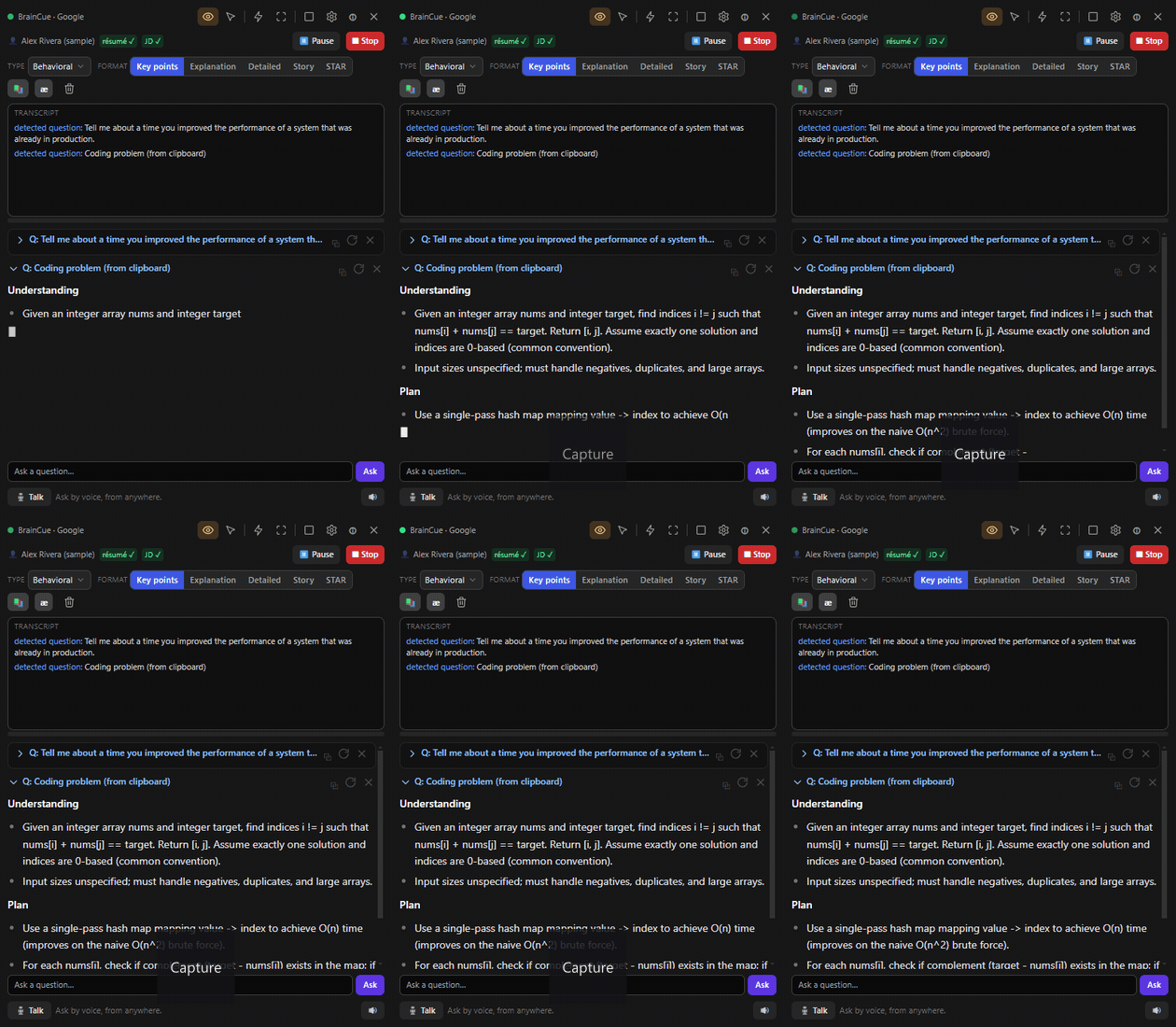
A captured coding problem is solved in the Cue Card with an optimal solution and complexity analysis.
Live coding rounds
optimal solution + complexity
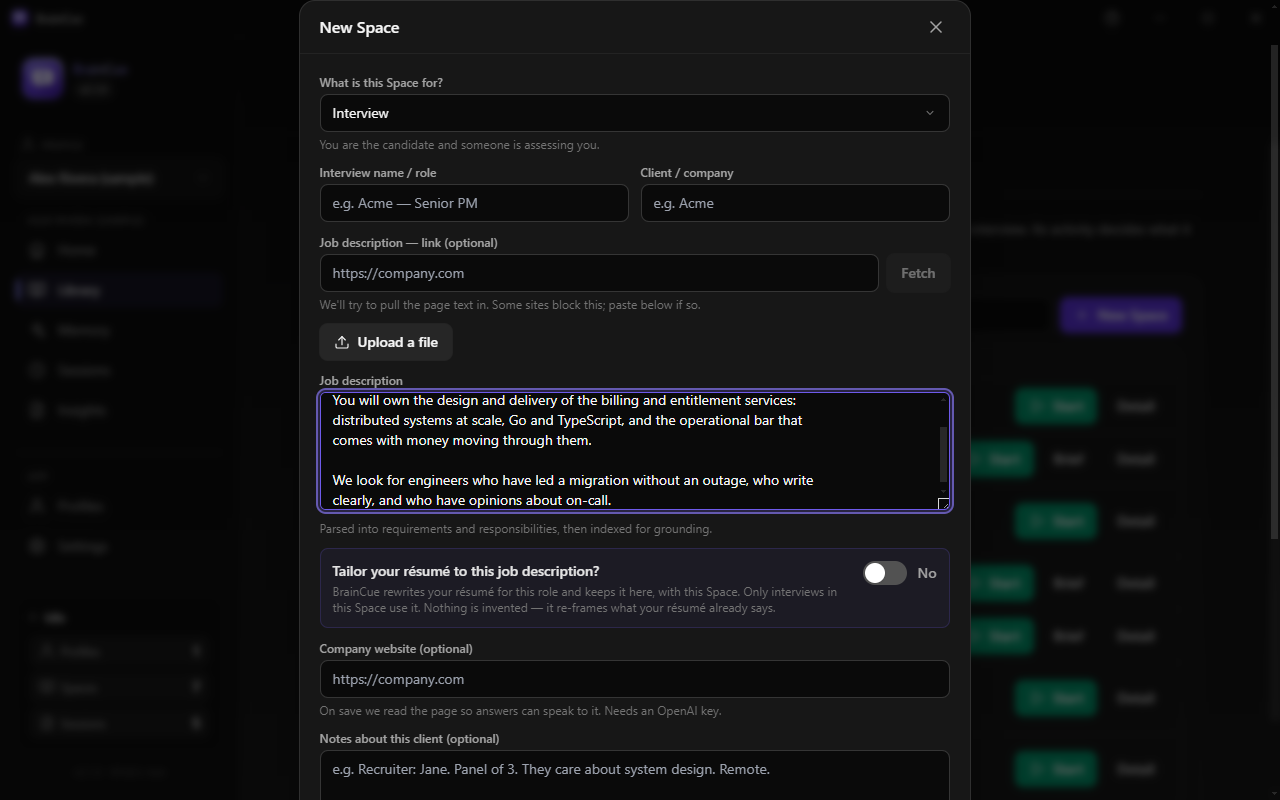
An answer streaming into the Cue Card, built from the user's own résumé and the job description, with its sources named.
Grounded in your story
your material · with its sources

02 How it works

One pipeline, four moves

Everything BrainCue does is the same engine cycle. The activity you pick tunes the thresholds — how eager it is, what it grounds in, and where the answer goes.

i.

Listen

System-audio loopback hears your calls; the microphone covers the room. Everything is transcribed live, on your key.

ii.

Decide

Trigger policies watch for the moment worth answering — a question aimed at you, an action item, a summon. Quiet by default.

iii.

Ground

On-device retrieval pulls the relevant lines from your résumé, notes, and approved memories — only that context is sent out.

iv.

Respond

A cited answer streams into the screen-share-invisible Cue Card — or is spoken aloud, stopping the moment you talk over it.

03 One start flow

You say what the call is. Never which mode to run.

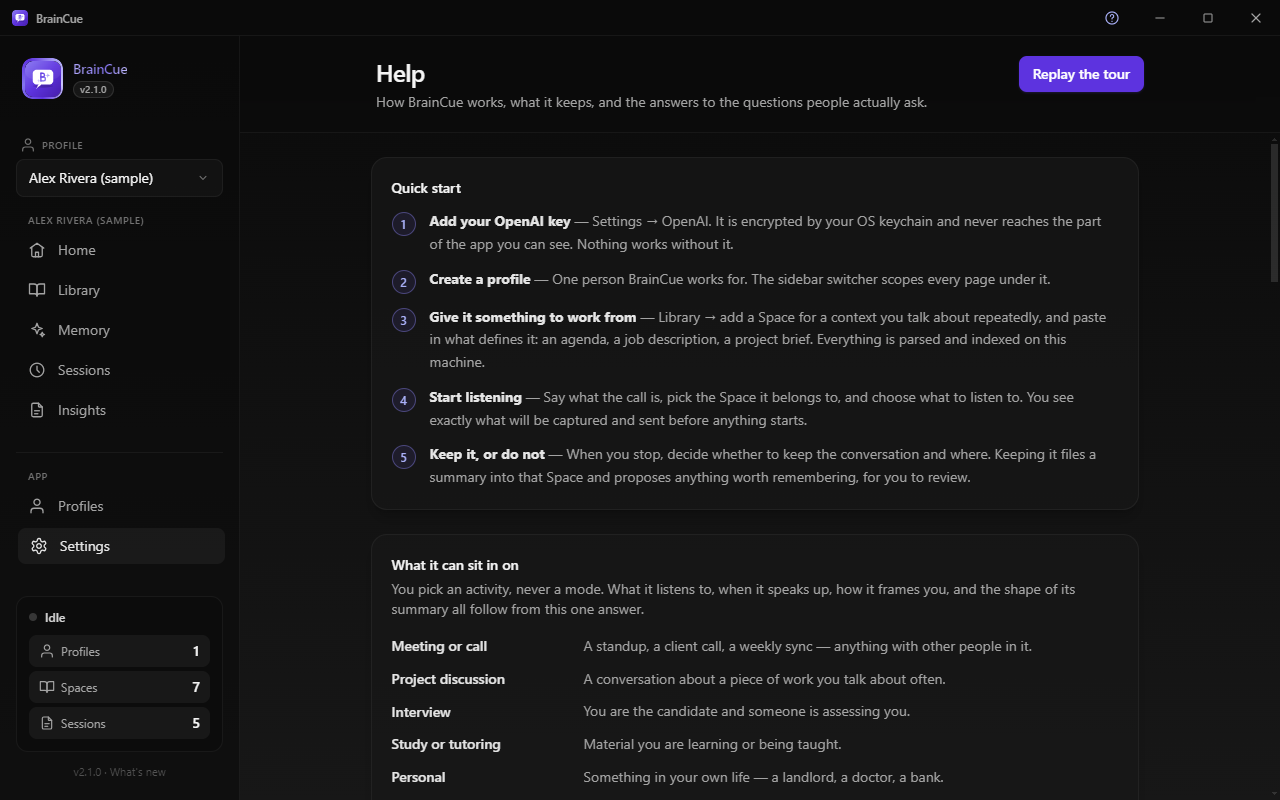
One question opens every session — what’s this call? Everything else follows from the answer: what it listens to, when it speaks up, how it frames you, and what shape its summary takes afterwards.

Meeting or call Labs

A standup, a client call, a sync

Answers questions asked in the room, and surfaces context, action items, and decisions — only above a confidence threshold you set.

Project discussion Labs

Work you talk about often

Recalls what was decided in earlier conversations about it, what is still open, and what just got committed to.

Interview Shipped

You’re the candidate

Detects each question and streams a grounded answer cue into the Cue Card — retellable live as key points, an explanation, or a STAR story.

Study or tutoring Labs

You’re learning something

Pulls up the part of your own material that bears on what was just said. Full voice dialogue and drills are still to come.

Personal Labs

A landlord, a bank, a doctor

Keeps the background straight across a long-running thing in your life, and catches what you agreed to.

Game · Just me Labs

Playing, or thinking out loud

An ambient presence that stays out of the way — behind deterministic gates, quiet hours, and a hard spend cap.

Underneath, these run three engine modes over one pipeline. The mode is derived, never chosen — picking a mode and a category was the same question asked twice, and the two answers could disagree. How that works →
04 Continuity

The tenth standup knows about the previous nine

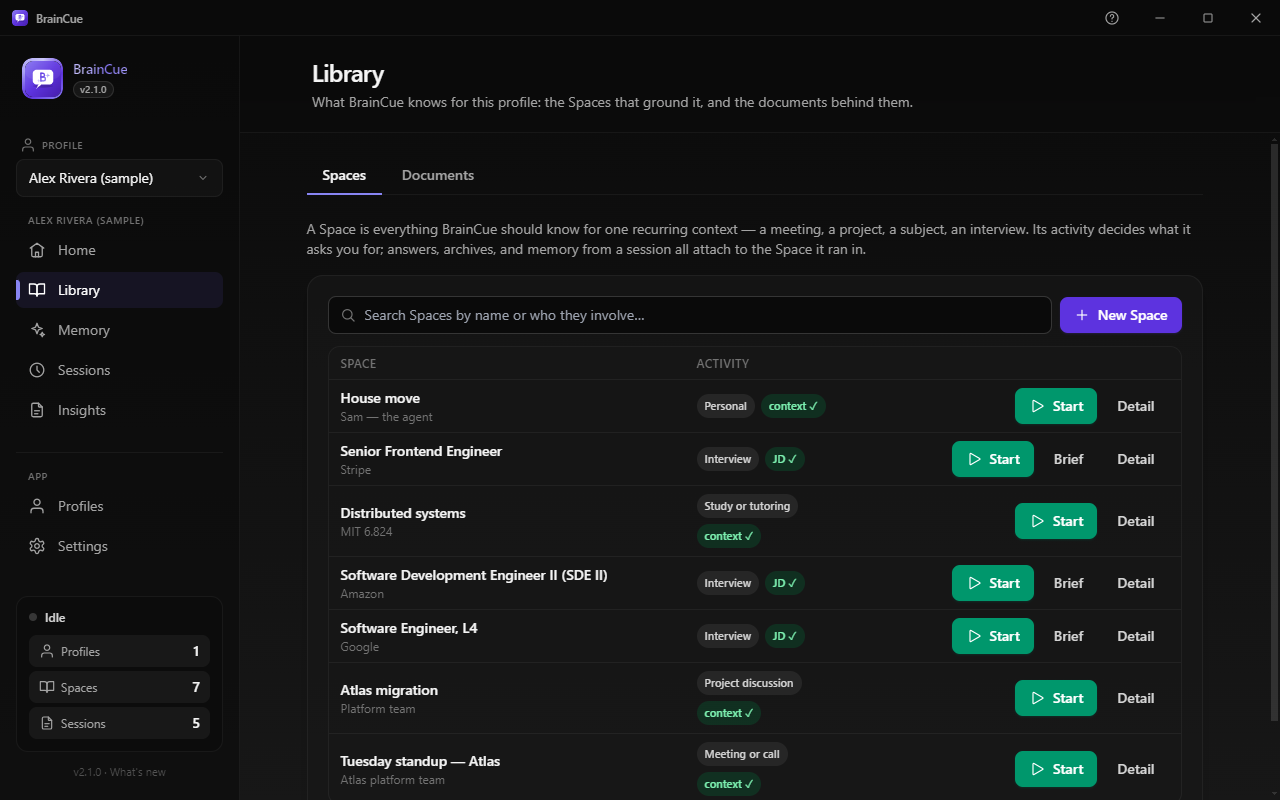
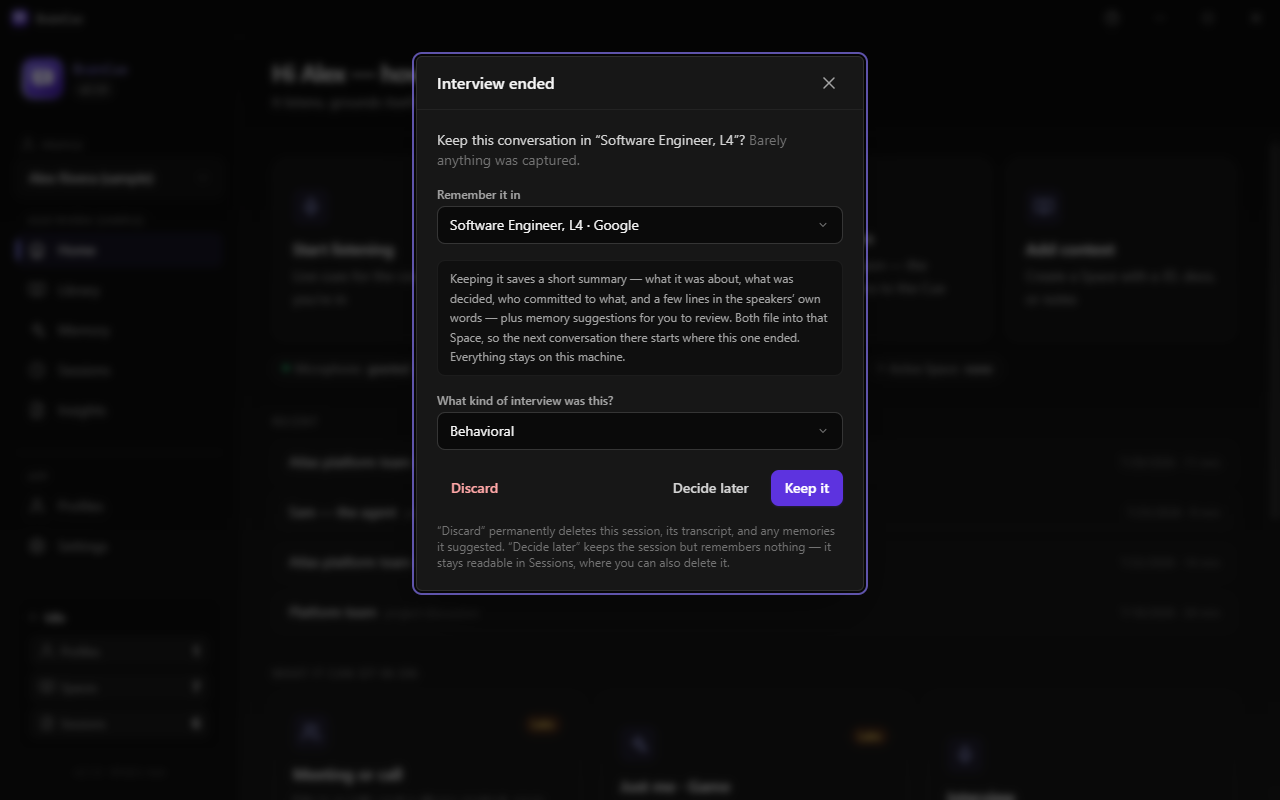
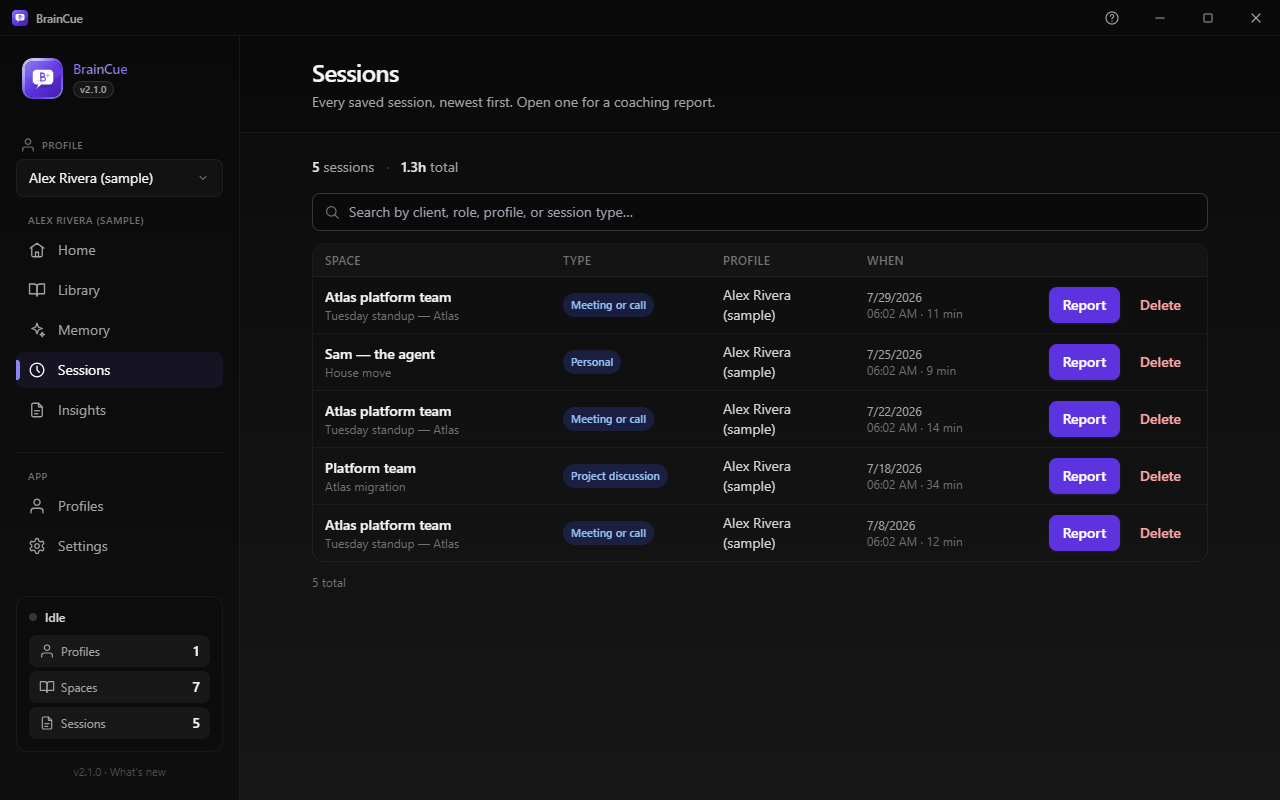
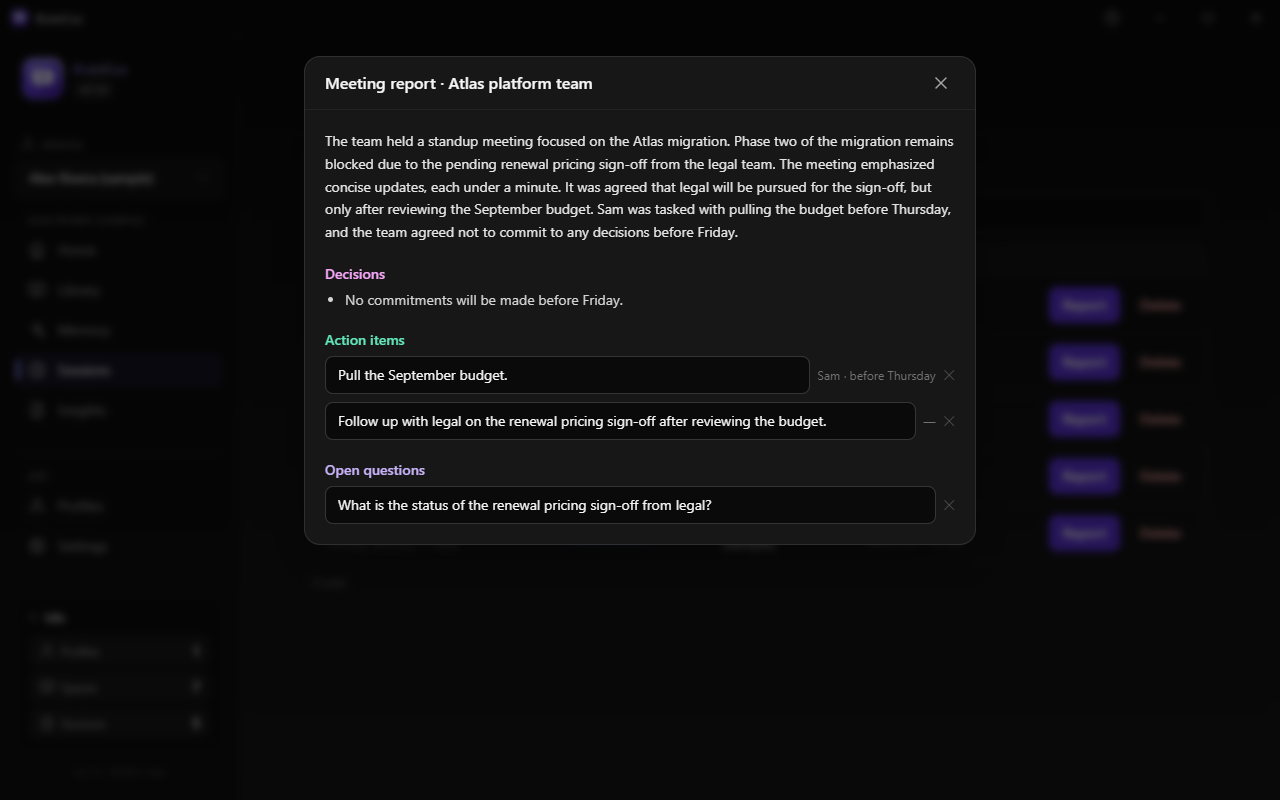
A Space is one recurring context — Tuesday standup, Senior engineer · Acme, House move — holding the documents that ground it. It is also where a conversation is kept. When a session ends you choose whether to keep it, and where. With no Space, nothing is summarised and nothing is remembered: it helped live, and leaves only its transcript.

Session summary On by default

What that conversation was

“Phase two is blocked on renewal pricing. Priya is chasing legal.” Written in a shape that fits the activity — a meeting leaves decisions and action items; an interview leaves what they asked and what you claimed. Filed into its Space, retrievable by the next conversation there, and deleted with its session.

Long-term memory Off until you allow it

What is true about you

“Never commits to dates in standup.” A standing claim about a person — and a wrong one would be repeated forever, so nothing is ever remembered silently. Memories are proposed after a session and only the ones you approve are ever recalled. Editable and deletable, one at a time.

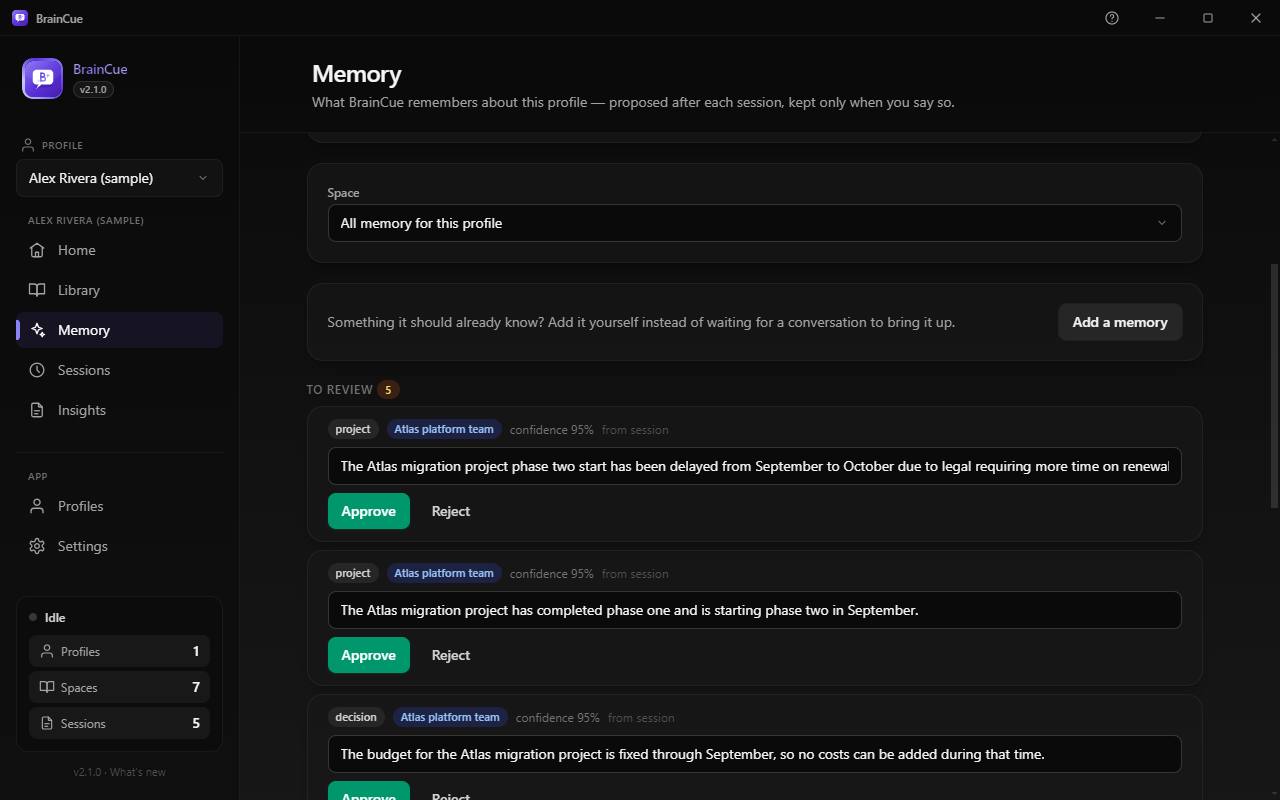
The Memory page: three suggestions from a single standup, each tagged with the Space it came from and its confidence, each waiting on Approve or Reject.
What one kept conversation proposed. Nothing here is recalled until you press Approve.

Two promises, two defaults, two switches. Turning memory off means unused, not deleted — re-enable it and what you approved comes back intact. The full contract →

05 Why BrainCue

Things a cloud assistant structurally can't do

🎙️ Hears the real conversation

System-audio loopback puts it inside your actual calls and meetings; a microphone covers in-person. It flags the moment worth responding to, as it happens.

🪟 Invisible to screen sharing

The Cue Card is always-on-top for you and excluded from screen capture and recording for everyone else — OS-level window affinity, not a trick.

💡 Grounded in your documents

Answers are retrieved from your résumé, job descriptions, and notes by on-device search — and it says when it doesn't know instead of inventing.

🗣️ A voice of its own

Push-to-talk from anywhere: ask by voice and hear the answer back. Start talking over it and it stops to listen.

🧠 Memory you approve

It can remember across sessions, but nothing is kept silently — memories are proposed, and only ones you approve are ever recalled. Correct or forget any of them.

🔒 Local-first, bring your own key

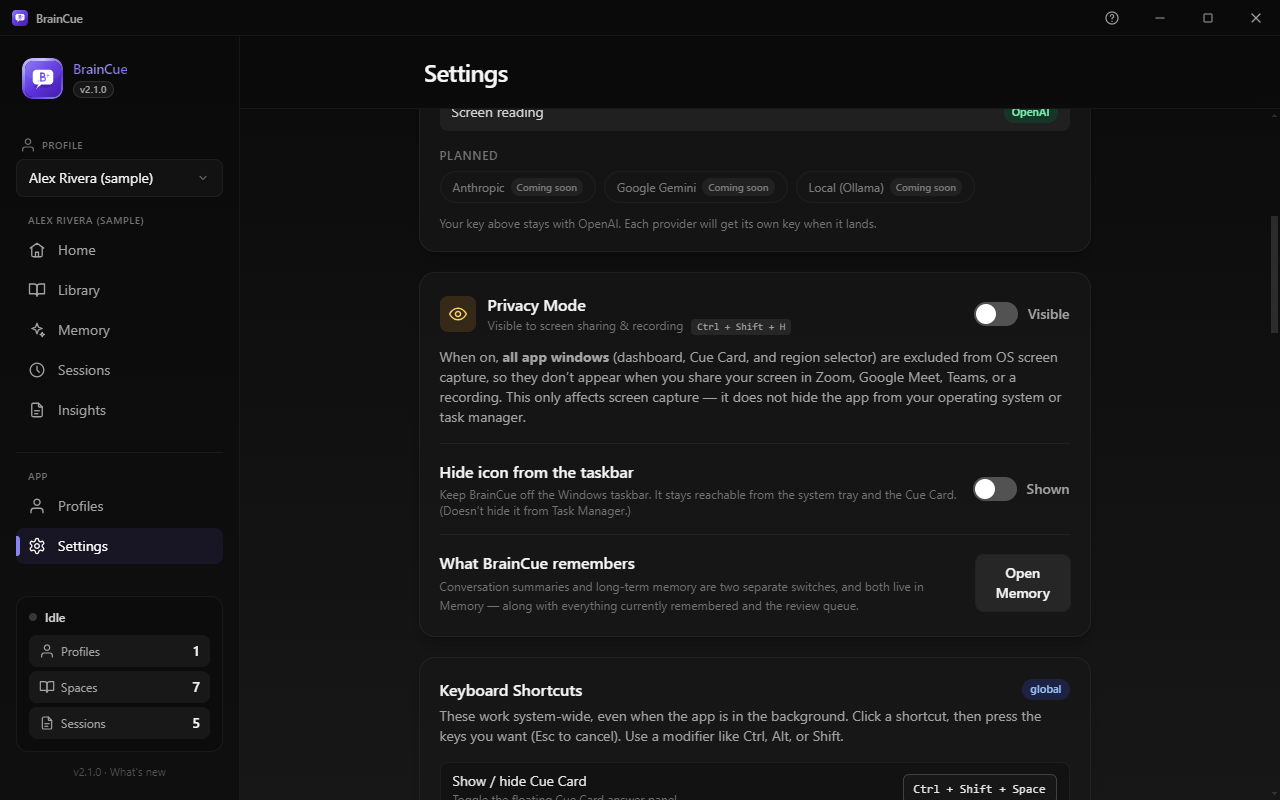
Data lives in a local database. Your API key is encrypted by the OS keychain and never leaves the main process — the UI only ever learns whether one exists.

⚠️ Use only where AI assistance is permitted. Your data stays on your machine; only the retrieved context and the current moment of conversation are sent to your AI provider.

06 A look inside

The whole app, not just the highlight reel

07 Documentation

Built docs-first

The design documents below are the source of truth the implementation follows — not a write-up produced after the fact.

Start here

  • VisionThe north star: ambient companion, and the product principles
  • Product specDomain model, the engine, per-mode requirements
  • RoadmapPhases, release trains, and the development rules

How v2 works

  • ActivitiesThe one thing the user picks, and why the mode picker went
  • Spaces & profileWhat a Space is and what it holds
  • Active profileOne profile at a time, scoping the whole dashboard
  • ContinuitySession summaries, long-term memory, and the difference

Architecture

  • ArchitectureProcesses, data flow, module boundaries
  • Engine planThe six-stage pipeline every mode configures
  • WindowsMain, renderer, and the capture-excluded overlay
  • UX & navigationHome as launcher, the one start flow, the nav split

Reference

Process & history

  • Session logThe running development diary, one file per day
  • MVP planHistorical — the record of the v1 build
  • ChangelogWhat shipped in each release

08 Built in the open

Every PR gets a real review, not a shrug

BrainCue is developed in public with a shared board, a written roadmap, and a contributing guide that says exactly how work gets in.

📋 A published standard

Typecheck, tests, and a full build run on every pull request. The design docs lead the code, and every change that alters documented behaviour updates the doc in the same PR.

🤝 Approval is the merge

A failed check is a fix window, not a rejection. When a maintainer approves and CI is green, the PR merges automatically — no second click, no waiting.

🗺️ A visible backlog

Work starts from labeled issues — features, tests, docs, performance, security — triaged by a maintainer and tied to a roadmap milestone. The accepted label means it is ready to build against.

09 Get it

Download

Grab the latest installer from the releases page. Builds are currently unsigned, so the OS may warn on first launch — Windows SmartScreen ("More info → Run anyway"), macOS Gatekeeper (right-click → Open).

What you needMinimumRecommended
OSWindows 10 64-bit (build 19041+), macOS 11, or modern 64-bit LinuxWindows 11, macOS 13+
RAM4 GB8 GB+
AudioMicrophoneMic + system-audio loopback
NetworkBroadbandLow-latency broadband
AI keyYour own OpenAI API key (Realtime/STT, Responses, embeddings, TTS, Vision). More providers planned.

Privacy Mode is most reliable on Windows 10 build 19041+ and Windows 11. On macOS, capturing system audio needs a virtual audio device (e.g. BlackHole); the microphone path works without one.